1. Add
Drop in video, music, or a still picture.
Freemore Audio Video Suite
Turn a file into the format a phone, a slide deck or a friend can open. Trim or join first if the clip is longer than you need.
Windows 10 or 11 · 64-bit · Version 8.2.0
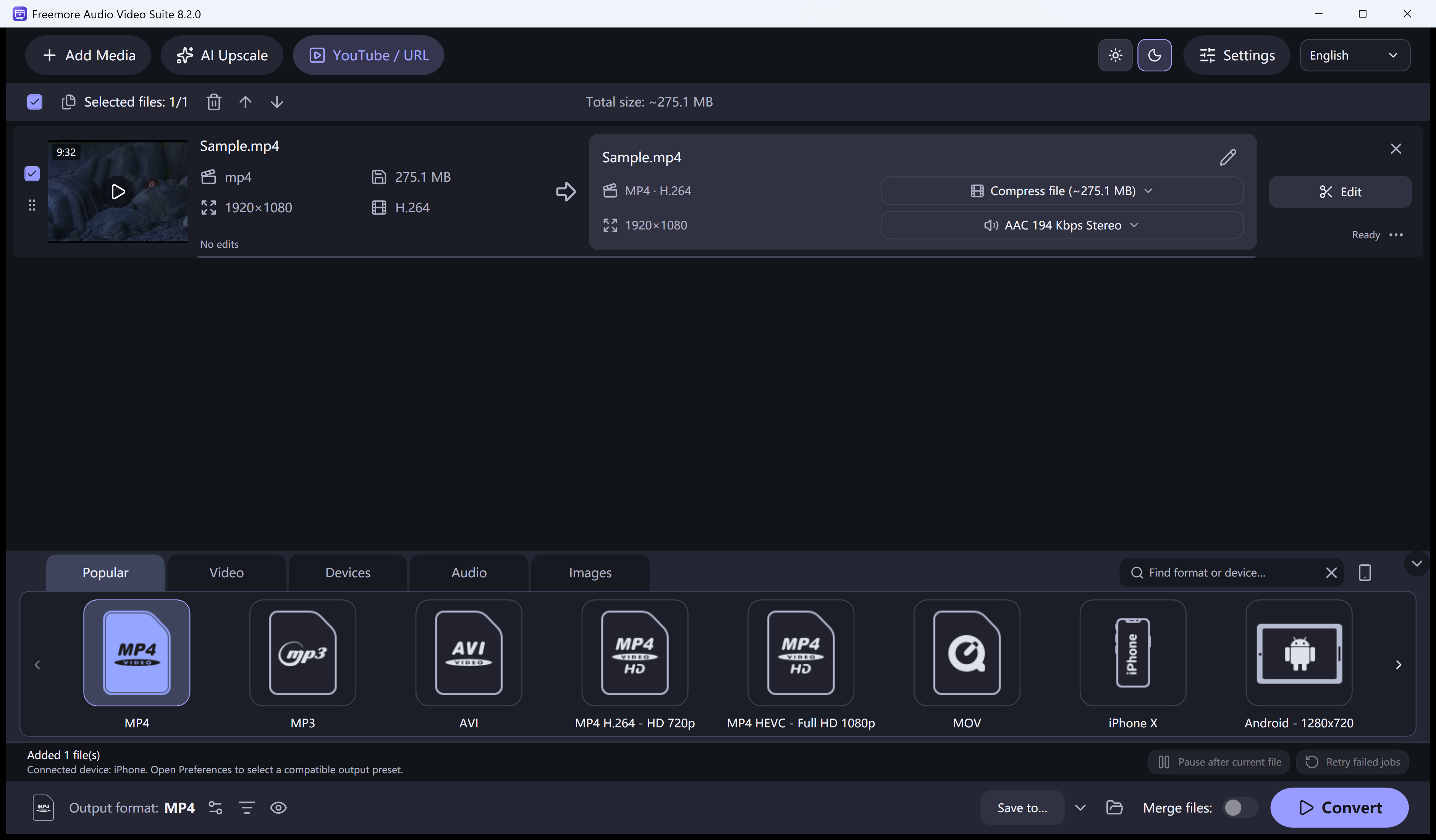
The queue holds every item. The output you pick applies when you convert.
Drop in video, music, or a still picture.
Pick Video, Audio, Devices, or Images.
Trim or crop first, then run the queue.
Explore conversion, compression, editing and disc tools for the media you already have.
Each item has a compress control. You can aim at a target size, encode a short sample, and listen or watch that sample before the long job.
The editor trims to a range, keeps several ranges, joins clips, and can crop, letterbox or stretch. A still is not a slideshow with transitions.
Paste a public video address, read the formats it offers, and convert to the output selected on the main screen. Playlists can add up to 100 items. Private or login-only videos are not guaranteed.
Export a still as JPEG, PNG, BMP or TIFF, or an animated GIF from the image presets. Resizing uses fit, crop or stretch. This is not a photo retouching studio.
Unencrypted DVD-Video and Blu-ray folders can be read as titles. Protected discs are refused. You can author a DVD folder and burn it with Windows.
Choose a task for supported formats, settings and step-by-step instructions.
Keep a smaller copy of a lossless track.
Learn moreLeave the picture behind.
Learn morePick the container the player expects.
Learn moreA short looping picture, no audio.
Learn moreBuild the folder, then use Windows to burn.
Learn moreFit, crop or stretch to a new size.
Learn moreInstall it, then open the file you already have.
64-bit Windows 10 version 2004 or later, or Windows 11. Microsoft .NET Desktop Runtime 8 x64 is required.
Download free softwareThe installer is FreemoreAudioVideoSuite.exe. Conversion features in this edition do not ask you to buy a license.
No. Those old names now point here. One program covers the conversion jobs: formats, devices, pictures, and disc folders you are allowed to open.
No. The picker lists common types. A file can still fail if its codec is unusual or the disc is protected.
No. A YouTube-ready preset only prepares a local file. Saving a public link is an input, not a channel upload.
Windows 10 version 2004 or Windows 11, 64-bit, plus the Microsoft .NET Desktop Runtime 8. Setup can point you at Microsoft’s download if it is missing.
Windows 10 or 11 · 64-bit · Version 8.2.0