1. Open or record
Load an audio file, extract sound from a supported video or record a microphone take.
Freemore Audio Editor
Turn a rough take into audio you can share. Freemore Audio Editor combines precise waveform editing, voice repair, recording and multitrack mixing, with free MP3, WAV, FLAC and AAC export on Windows.
Windows 10 or 11 · 64-bit · Version 8.1.0
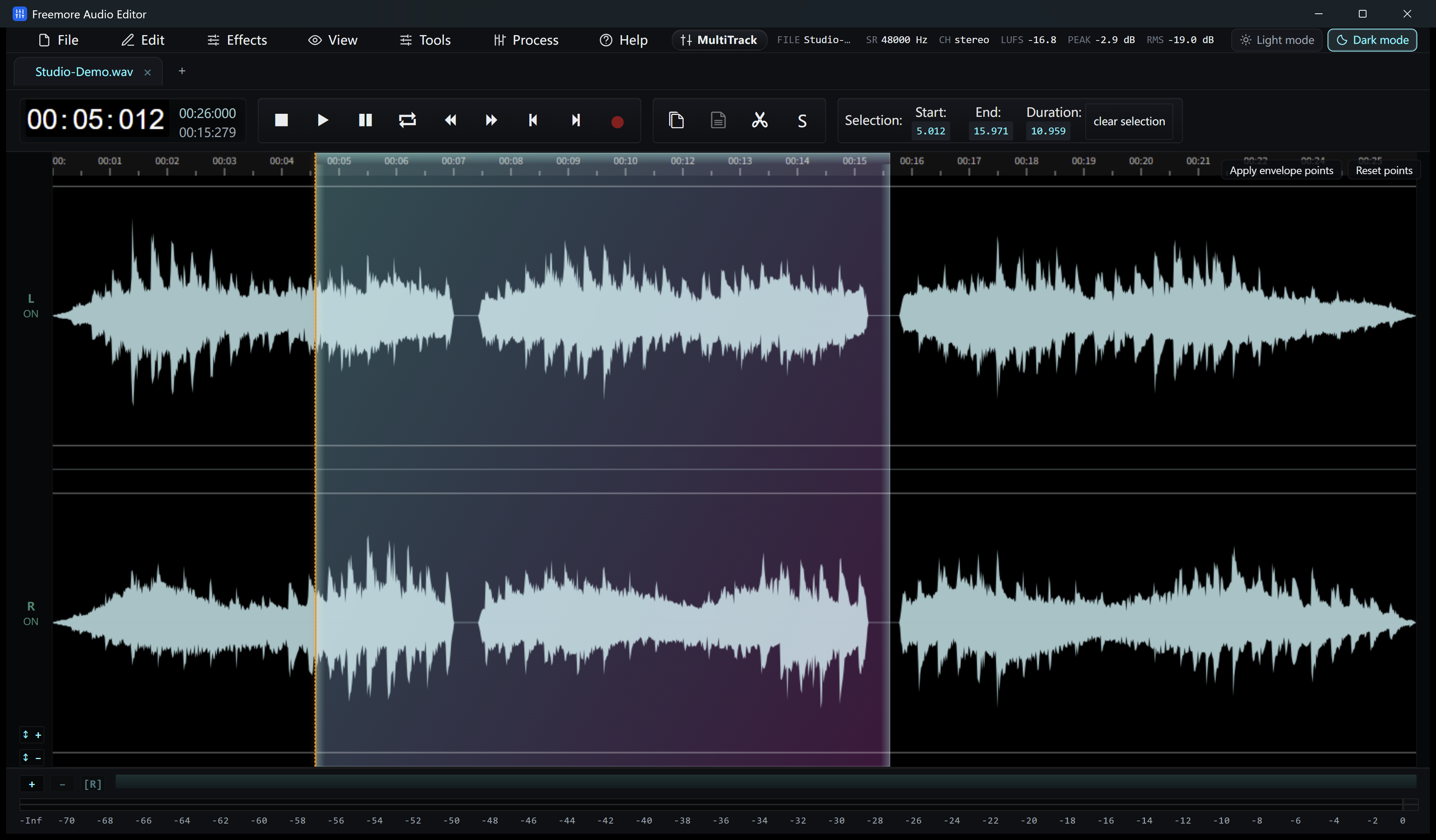
Listen to the source, work on the passages that need attention, then save a master or an audio file for sharing.
Load an audio file, extract sound from a supported video or record a microphone take.
Select a range to trim, preview a repair or arrange separate clips in the mixer.
Export the whole recording or selected region. Keep a project when you want to continue editing.
Use a focused waveform edit for one passage, repair controls for a problem sound or a multitrack arrangement for several sources.
Cut, copy, paste and delete selected audio, or insert silence and another file at the playhead. Editable boundary times, waveform zoom and zero-crossing snapping help refine a cut. Preview the selection and use undo or edit history to compare your changes.
Reduce voice noise or use Repair Studio to address clicks, hum, clipping, sibilance and breath noise. Compare original and processed sound before applying a repair. EQ, compression, normalization and a configurable podcast chain help with tone and level; restoration depends on the source.
Choose a microphone, Windows playback or both. Simultaneous capture can create a mixed stereo result or place the two sources in the left and right channels of one recording. Live meters help check levels, and punch-in recording can replace or mix into an existing passage.
Move and trim clips on the mixer timeline. Adjust track volume and pan, mute or solo tracks, and use fades and crossfades to smooth transitions. Listen to the arrangement, create a mixdown and save a project to continue working later.
Export the current selection for a short clip or the whole audio for a finished recording. MP3, WAV, FLAC, M4A/AAC, Ogg and Opus are supported without purchase or registration. For an M4R ringtone, save an edited WAV and use the Audio Video Suite's M4R preset; phone transfer remains a separate step.
Supported local videos open as audio for waveform editing. The YouTube importer brings one accessible video's audio into the editor. It requires internet access and prepares missing components when needed; private or restricted links may fail.
Get a closer look at cutting an MP3, preparing a ringtone or repairing a recording.
Install the editor, then open an audio file or record a new take.
64-bit Windows 10 version 2004 or later, or Windows 11. Microsoft Edge WebView2 is required; Setup checks for it. The .NET runtime is included.
Download free softwareDownload FreemoreAudioEditor.exe for 64-bit Windows 10 version 2004 or later, or Windows 11. Microsoft Edge WebView2 Runtime is required; Setup offers Microsoft's download page if it is missing. The .NET runtime is included. Online imports and missing processing components need internet access.
Yes. Supported editing and export formats, including MP3, WAV, FLAC and AAC, require no purchase, registration or activation in this Freemore edition.
This editor extracts and edits the audio from supported video files. Use Audio Video Suite or Video Cutter Joiner when you need a result that includes video.
Audio Editor offers the broader repair workspace, including Repair Studio, a podcast chain and spectral processing. Audio Recorder focuses on capturing selected devices as separate mixer tracks, then editing and exporting the takes.
Save a .wsmith project or a supported .amss session. Project and session state support continuing your work; backup and recovery features do not guarantee recovery from every interruption.
The batch converter applies shared output settings to source files. It does not automatically repeat the active recording's entire edit history or effects chain.
Windows 10 or 11 · 64-bit · Version 8.1.0