What can Freemore Audio Video Suite do?
- Audio converters to convert audio files;
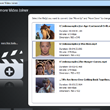
- Video converters to make your videos portable;
- Audio recording/editing software for easy audio creation;
- CD/DVD/ISO tools for sharing & backup your work;
- YouTube software to enjoy YouTube on Any Devices;
- PDF & OCR tools to easily convert, copy & send your documents;
- Online radio & TV players to enjoy online media resources;
- Image tools to create slideshow & animated GIF;
- 100% Free & Easy!
Freemore Audio Video Suite is a practical collection of FreeMoreSoft products that includes a number of necessary tools for your video/audio/CD DVD/image/document creation, enhancement, backup & sharing. If you are a multimedia journalist, teacher/student, artist, designer or just an enthusiast fan, this package is the top choice to make everything easy. It also provides documentation solutions to handle PDF documents.
Free Multimedia/Documentation Creation Software Package to Simplify Your Video/Audio/Disc/Image/Document Work
Freemore Audio Video Suite provides almost any tools that you may need in your multimedia creation: It helps you to convert between almost a vast number of video & audio formats; the audio recording & enhancement are never easier; with the ringtone software, you can create the ringtone from your music collections; the CD/DVD/ISO tools make audio/video/ISO burning and backup easy like a charm; you may download & convert YouTube videos to any of your portable devices; the online radio & TV players give you the opportunity to know everything happening in every corner of the world; the image tools help you to make slideshow accompany with music & create GIF animation from video; the documentation software allows you to easily backup, convert and distribute your electronic documents or old paper documents. ONE DOWNLOAD is all you need to get all of these!
One Download to Get All
Freemore Audio Video Suite is a free & compact multimedia suite that contains all practical tools you may need in your video/audio/CD DVD/image creation, enhancement, backup & sharing. You don't need to download all FreeMoreSoft products one by one. Download Freemore Audio Video Suite to have all of them in your system.Convert All Audio & Extract Sound
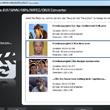
Transfer audio between all popular formats with ease - Freemore Audio Video Suite provides many audio converters to convert audio files between the most important audio formats (MP3, WMA, OGG, WAV, AAC, M4a, FLAC, etc.) and extract audio tracks from video files.Convert Video for Playback Anywhere, Anytime
Transfer 300 + video formats, including HD. Support varieties of portable devices: Apple iPod, iPad, iPhone, Apple TV, Sony PSP, Zune, BlackBerry, mobile phones Android tablets, smart phones and more.Create & Enhance Customized Music
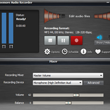
Record voices, music and other audio sources with lossless quality, edit them and enhance them with 30+ audio effects and filters. The presets and manual numeric adjustment are both provides for professionals and novices.Express Your Personality by Ringtones
Make your own creative ringtones to stand out from the crowd or share with your friends. Load music, audio, CD or voice recording to trim them and apply some ear-catching effects.Combine Audio & Join Video
With audio joining & video joining tools you can combine your audio or video of any formats together to get a larger file for easy management & non-stop playback without creating a playlist.Download & Convert YouTube Videos & Music
Our YouTube applications are designed to download YouTube videos & music to your harddrive through URLs and convert the downloaded FLV/MP4 videos into the video/audio format you want.CD/DVD Creation & Copy
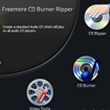
You can burn audio CD from your music files & backup your audio CD to your harddrive. Also, creating video DVD from your movie collection is possible. You copy your classic movie DVDs to your computer or enjoy them on portable players. It also provides a data CD burner to backup your important files.Make ISO from Files/Rip ISO from Disc/Burn ISO to Disc
The ISO maker allows you to make an ISO image from any files you have. The ISO ripper is used to create an ISO from CD/DVD you have to get an exact copy for later use. The ISO helps burn the ISO you created or downloaded to CD/DVD discs to use in disc drive.Create Slideshow & Animated GIF
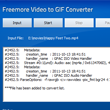
Do you want to create a stunning slideshow from your photos or images with background music and transition effects? Or do you have any movies or video clips that you want to turn them into funny little GIF animation? We got what you need.Search & Stream Online Radio/Web TV
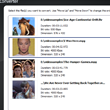
You can stream your favorite online radio broadcasting and TV programs and search the content that you are interested: News, Sport, Entertainment, Politics, Religion, Health, Financing, Education, Lifestyle...Scan to PDF/OCR/Convert PDF to Image & Text
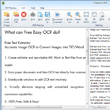
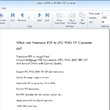
Convert PDF to image/TXT/Word, convert image to PDF, scan to PDF as well as merge separate PDFs into one/split multipage PDF into multiple PDFs. You can also extract text with cutting-edge OCR technology.Expert reviews on FreeMoreSoft products
Find out what leading industry experts are saying about Freemore Audio Video Suite

SoftPedia - Editor's Pick
Freemore Audio Video
Suite truly offers something for everyone. It's hard not to
be impressed with the functionality the program offers. In addition,
it is easy enough to use for beginners and powerful enough for
creative multimedia pros. Whether the goal is to edit and mix
music, capture and record it, share it with the world, convert
the video, or deal with PDF documentation & images, Freemore
Audio Video Suite is worthy to be considered the best similar
products we reviewed.

CNET - Editor's Review
Freemore Audio Video
Suite is used by artists the world over, for everything from
quick digital notepad sketches to full, end to end audio &
video production. With the added features and clean interface,
you'll spend more time creating and experimenting in Freemore
Audio Video Suite, and less time setting up and troubleshooting.

Tucows - 5 Cows
Few multimedia studio
software programs offer as many professional and advanced features
within as simplified and user friendly an interface as Freemore
Audio Video Suite. With frequent improvements, updates and a
variety of additional compatible products, Freemore Audio Video
Suite is always looking to stay ahead of the market and give
users a precision and creative control unlike any other.

Computer Bild - Editor's Review
Freemore Audio Video
Suite remains a strong candidate for its true-to-purpose features,
giving users a well-designed software program for audio/video/documentation/image
conversion & creation. Though all multimedia studio software
programs aim for that end, few hit the mark quite like Freemore
Audio Video Suite.
Read what our customers say about Freemore Audio Video Suite:
This is really a universal multimedia studio. It takes some time to download but I actually save a ton of time searching for other single tools!
Raleigh Reading - User Since 2012
This one combines more than 30 multimedia tools like converter, recorder, editor, burner, etc. and even some image and documentation tools like slideshow, GIF, PDF & OCR software. It's all free to use with nothing harmful attached.
Dexter Cumberland - User Since 2012
I don't know why you guys make this toolkit free! Personally I use audio and video converters more often, but then I find something useful in your suite like PDF converters & online radio/TV players, fascinating.
Herbert Anderson - User Since 2010
I love to create my own music and your suite enables me to build a home studio. Recording, mixing, burning and a bunch of other tools, that's a lot!
Sheridan Domett - User Since 2009
What benefits can I expect?
Freemore
Audio Video Suite is designed for easy multimedia & documentation
creation. All functions are learnable and usable for both casual
users and professionals.
- Convert video/audio files
- Join video/audio files
- Extract audio from video
- Record, edit, cut audio & make ringtones
- Download & convert YouTube
- Convert PDF to image/text
- Extract text through OCR
- Scan to PDF/Convert image to PDF
- Merge/Split PDF
- Convert video to GIF
- Make slideshows
- Burn & rip CD/DVD/ISO
- Search & play online radio/TV
Why should I choose Freemore Audio Video Suite?
You
have many options to handle tons of audio/video/PDF/Image/disc
files as there are so many audio video suite software on the
internet. Why should you use Freemore Audio Video Suite?
- Humanization Design
- Optimal output quality
- Super-fast processing technology built-in
- Presets with popular settings
- Support tons of input/output formats
- Cutting-edge encoding/decoding technology
- Support multicore CPU
- Less burden on your system
- Abundant guide contents & online support
- Free, safe & no restrictions
Freemore Audio Video Suite:
What are the system requirements?
- Intel Pentium 3 500MHz or equivalent processor
- At least 256 MB RAM
- 200 MB free hard disk space
- Graphics mode 800x600, 16-bit colour
- Internet Explorer 6
- Intel Pentium 4 1GHz or equivalent processor
- 512 MB RAM
- Minimum 200 MB free hard disk space (since space is also needed to download drivers)
- Graphics mode 1024x768 true color (highest 32-bit)
- Internet Explorer 7